
Search
  • Follow NativePlanet
Share
ഹോം » ട്രെയിനുകള്‍ » ട്രെയിൻ, സ്റ്റേഷനുകൾക്കിടയിൽ

Trains from Joramow (JRW)

# നന്പര്‍ തീവണ്ടിയുടെ പേര് പുറപ്പെടല്‍ ആഗമനം സര്‍വ്വീസ് ദിവസങ്ങള്‍
1 63562 BDME ASN MEMU 5:11 am 6:40 am
  • SUN
  • MON
  • TUE
  • WED
  • THU
  • FRI
  • SAT
2 53049 HWH MKA PAS 5:39 am 11:10 am
  • SUN
  • MON
  • TUE
  • WED
  • THU
  • FRI
  • SAT
3 63561 ASN JSME MEMU 8:50 am 9:35 am
  • SUN
  • MON
  • TUE
  • WED
  • THU
  • FRI
  • SAT
4 73539 UDL JSME DEMU 9:26 am 10:15 am
  • SUN
  • MON
  • TUE
  • WED
  • THU
  • FRI
  • SAT
5 63567 ASN JAJ MEMU 10:56 am 12:55 pm
  • SUN
  • MON
  • TUE
  • WED
  • THU
  • FRI
  • SAT
6 53131 SDAH MFP FAST PGR 12:52 pm 12:15 am
  • SUN
  • MON
  • TUE
  • WED
  • THU
  • FRI
  • SAT
7 63568 JAJ ASN MEMU 2:55 pm 4:35 pm
  • SUN
  • MON
  • TUE
  • WED
  • THU
  • FRI
  • SAT
8 73538 JSME UDL DEMU 4:18 pm 7:20 pm
  • SUN
  • MON
  • TUE
  • WED
  • THU
  • FRI
  • SAT
9 53050 MKA HWH PASS 6:01 pm 3:00 am
  • SUN
  • MON
  • TUE
  • WED
  • THU
  • FRI
  • SAT
10 63564 JSME ASN MEMU 6:23 pm 7:50 pm
  • SUN
  • MON
  • TUE
  • WED
  • THU
  • FRI
  • SAT
11 53132 MFP SDAH PASS 7:09 pm 3:25 am
  • SUN
  • MON
  • TUE
  • WED
  • THU
  • FRI
  • SAT
12 63563 ASN JSME MEMU 9:49 pm 10:40 pm
  • SUN
  • MON
  • TUE
  • WED
  • THU
  • FRI
  • SAT
If you are looking for the information on Indian Railways and Indian Timings; Yes, you are on the right place. Native Planet provides you with the details about Indian railway, train enquiry details, train timings, trains operating between stations, train numbers and train names etc.. Below we have listed few search options for the users to Search & find Trains, Train Numbers, Trains between stations, Train Routes, Railway stations and its codes etc.
Connect to Wifi

5 Quick Ways to Connect To Free Wifi

  • Step 1

    Step 1

  • Step 2

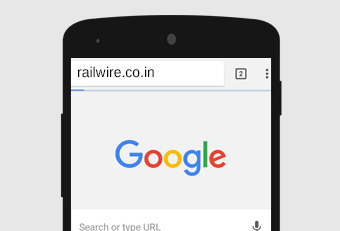
    In the next step, you have to open the browser and into the window, enter the URL of railways www.railwire.co.in.

  • Step 3

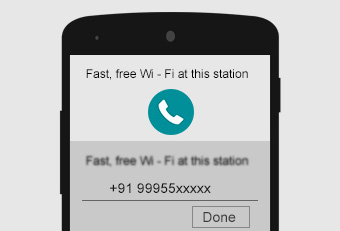
    This will lead you to the login screen. Here your phone number needs to be entered. Next, you have to click on – receive SMS.

  • Step 4

    You will receive an SMS which will be an OTP code in 4 digits. Go to the WiFi login. Fill up the OTP code here. Now, click on – done.

  • Step 55

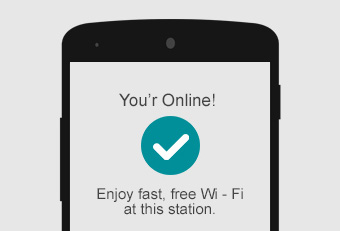
    A checkmark will indicate that you have been connected to free WiFi.

Get connected to free WiFi through these 5 steps. You can do whatever you want: play the game that you always wanted to play, read any book or watch any video by easily downloading them. Hurray!